Additional Bills Alert
When viewing a bill, you may see the following alert noting that there is another bill associated with the case you’re looking at. You’ll see the vendor and bill total amount listed as well. Clicking the pop-out icon on the right side of the alert will open the other bill in a separate tab.
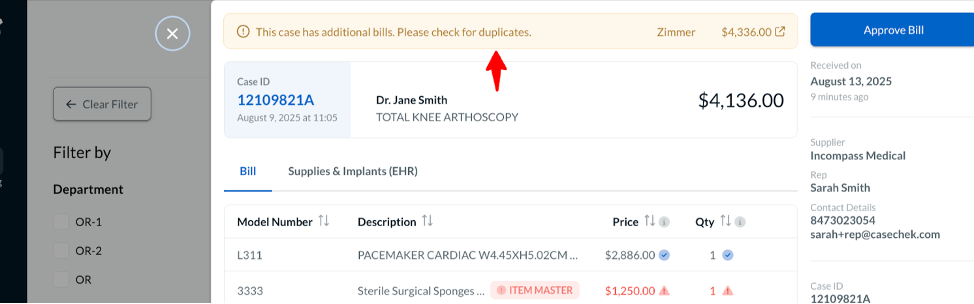
This alert will only appear when there are multiple bills on the same case.
We encourage you to use this feature to check for duplicate vendor bills by comparing the vendors, totals, and items on each bill associated with a case. If a duplicate bill submission is identified, please reject the bill to the vendor with the reason provided.