
Rejecting Bills
When you need to reject a bill, use the dropdown on the Approve Bill button to select Reject Bill.
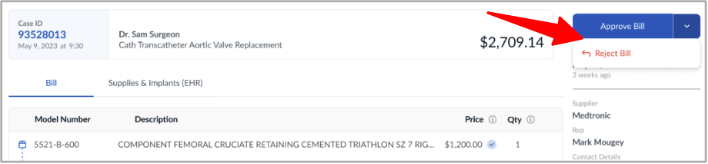
• The vendor rep will be notified via email, and the rejected bill will be highlighted in their Casedoc app
• The bill will be removed from your bill list until it is resubmitted
When you reject the bill, you will be prompted to include a reason for the rejection. The note you provide as the reason for rejection will be sent to the vendor rep in the email notification and it will be attached to the bill in their Casedoc app.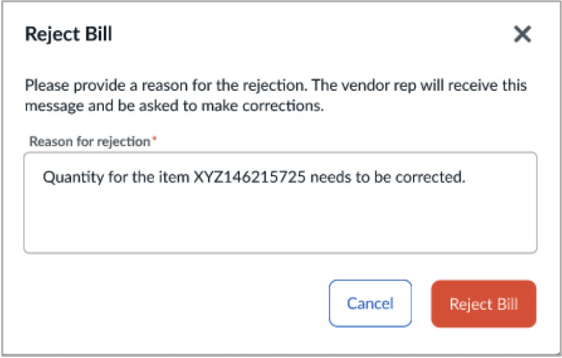
• Quantity Flags: the Vendor Bill quantity & EHR quantity do not match
• Price Flags: the Vendor price & Item Master price do not match
• Item Master Flags: no Item Master Number is found, so the price cannot be verified